
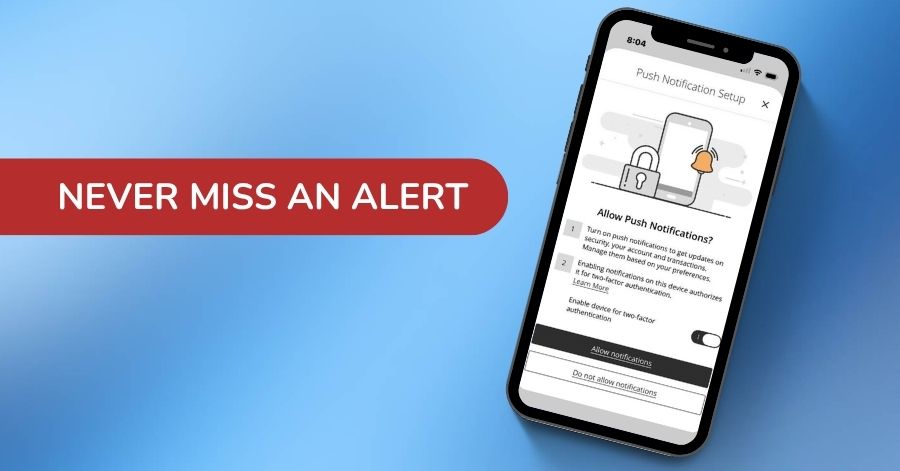
Starting October 20, 2026, Bank Forward mobile banking will offer push notifications!
Push notifications are a convenient way to stay informed and add an extra layer of security to your mobile banking experience. Available exclusively on mobile devices, these short, clickable messages are sent directly to your mobile device through the Bank Forward mobile app, even when you are not actively using it.
Browse our frequently asked questions below to learn more about push notifications:
Q: What is a Push Notification?
A: A Push Notification is a message sent to your mobile device through the Bank Forward mobile app. You don’t need to have the app open to receive it; the notification can appear on your lock screen or in the notification tray. Push Notifications are available exclusively on mobile devices.
Q: How do I sign up for Push Notifications?
A: Ensure your Bank Forward mobile app is updated to the latest version. With the latest version of the app on your device, launch the Bank Forward mobile app and select Allow notifications when the Push Notification Setup screen appears.
Q: What is Two-Factor Authentication via Push Notification?
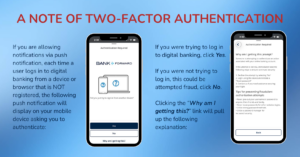
A: Two-Factor Authentication (2FA) is a security method that requires an additional verification step when a user attempts to log in. With 2FA via Push Notification, you receive a Push Notification on your registered mobile device as part of the authentication process. Instead of entering a secure access code received through SMS or email, you can approve or deny the login request directly from the notification.
Q: What is the difference between 2FA via Push Notification and Push Notifications?
A: Push Notifications are used for alerts and notifications. 2FA via Push Notification is used specifically as part of the login authentication process.
Q: What alerts can be set up as a Push Notification?
A: Push Notifications can be used to notify you about account-related activity, such as transactions, balance updates, or other configured alerts. Any alert that can be set up as SMS may also be set up to receive as a push notification
Q: Can I turn on/off Push Notifications?
A: Yes, you can enable or disable push notifications by logging into the Bank Forward mobile app and selecting Push Notifications under Settings.
Q: Is there a charge or fee for Push Notifications?
A: No, there is no charge or fee for Push Notifications.
For more information on Push Notifications please review the details on Push Notifications in our digital banking user guide.
If you have additional questions about Push Notifications, we’re here for you! Contact your local Bank Forward branch or call Digital Banking Customer Service at 877-689-1783.